← 이미지
이미지
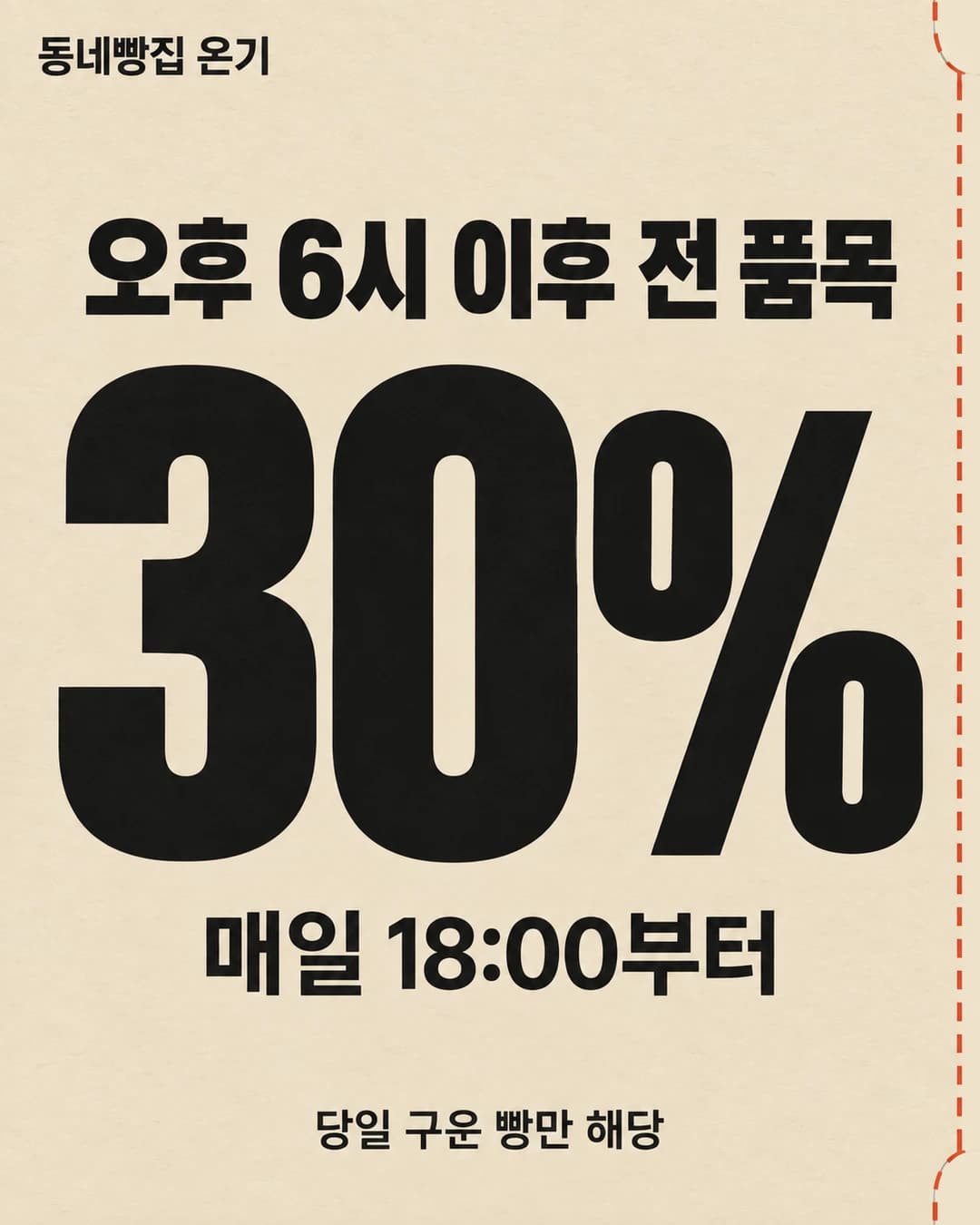
마일스톤 포스터 · 종이에 찍힌 큰 숫자
코드 렌더 · 같은 결과
레터프레스로 찍은 듯한 종이 위에 지금까지 쌓은 숫자 하나를 크게 두세요.
계기마일스톤
가상 브랜드 모래알 클라이밍로 그린 예시입니다. 도구와 시점에 따라 결과가 다릅니다.
레시피 보기57,170자
# 먼저
- 괄호로 적힌 브랜드 정보(브랜드명·확인된 항목·말투·브랜드 색)는 이 대화나 기억에 있는 내 브랜드 정보로 채운다. 없으면 만들기 전에 빠진 것만 한 번에 물어본다. 브랜드 색을 모르면 본문의 기본색을, 기본색이 없으면 주제에 어울리는 차분한 색을 쓴다.
- 확인된 항목은 지어내지 않는다. 내가 알려 주거나 기억에 있는 사실만 쓴다.

# Duchamp 코드 레시피 · 마일스톤 포스터 (종이에 찍힌 큰 숫자)

이 문서는 코딩 에이전트(Codex, Claude Code 등)에게 그대로 붙여 넣는 작업 지시서다. 이미지 모델에게 글자를 그리게 하지 않는다. 글자 없는 종이 판 위에 실제 폰트로 숫자·글자를 코드로 얹고(레터프레스 잉크·눌린 자국 효과 포함), 헤드리스 브라우저로 PNG(필요하면 MP4)를 렌더한다.
원본 템플릿: https://duchamp.app/readymade/images/milestone-giant-number

## 0. 채울 것 (사용자)

```yaml
브랜드명: (대화·기억에 있는 내 브랜드 이름)
브랜드 색: (내 브랜드 색 — 바탕 · 글자 · 포인트)        # "종이색, 잉크색, 포인트색" HEX 3개. 비우면 #14213D, #F2EFE6, #C8A24A
주제: (내 브랜드에 맞는 주제 하나)                  # 무엇을 알리는지. 예: 첫해 회원 수
넣을 글자: (주제에 맞춰 분량 상한 안에서 문구를 지어 넣는다)        # "숫자 / 한 줄 / 작은 정보". 숫자는 숫자·쉼표·%·+ 와 단위 한 글자까지 7자 이내,
                              # 한 줄 14자 이내, 작은 정보는 영문 대문자·숫자 2항목(예: SINCE 2014 · MAPO, SEOUL)
출력: PNG만                   # PNG만 | MP4까지
배경판: 자동                  # 자동 | 내 사진: <경로> | 예시 판 | ChatGPT 판: <경로>
```

## 1. 에이전트 규칙

- 위 빈칸이 `[ ]` 그대로 비어 있으면 작업하지 말고 무엇을 채워야 하는지 먼저 물어본다. 채워져 있으면 묻지 말고 끝까지 진행한다.
- 글자 한도를 넘으면 줄여 달라고 한다. 숫자는 사용자가 실제로 센 것만 쓴다. 브랜드명·넣을 글자는 한 글자도 바꾸지 않는다(띄어쓰기 포함).
- 아래 코드 블록은 **한 글자도 고치지 말고** 그대로 파일로 저장한다. 바꾸는 것은 `props.json` 하나뿐이다. 코드가 실패하면 오류 메시지를 그대로 보고하고, 고쳐야 했다면 무엇을 왜 고쳤는지 보고에 쓴다.
- 비밀 값·.env 파일은 읽지 않는다.
- 필요한 것: Node 18 이상, 인터넷(`npm install` 때만 — 폰트도 npm 패키지로 받으므로 렌더는 인터넷 없이 된다). 설치는 이 폴더 안에서만(`npm install` — 렌더러 HyperFrames(Apache 2.0)·esbuild·React·ffmpeg). 첫 실행 때 HyperFrames 가 헤드리스 Chrome(약 190MB)을 이 폴더의 `.render/home` 에 받는다. ffmpeg 은 npm 패키지(ffmpeg-static)로 따라오므로 따로 설치하지 않는다(그 설치가 막힌 환경이면 시스템 ffmpeg 를 쓴다).
- 이 작업 밖의 일(프로젝트 관리 카드·메모 갱신, 배포, 다른 브라우저 자동화 도구, 사용자에게 묻지 않은 유료 생성 API·크레딧 사용)은 하지 않는다.
- **샌드박스 안에서 실행 중이면(Codex 기본 모드 등)**: `npm install` 은 네트워크가, `node render.mjs` 는 헤드리스 Chrome 실행이 필요하다. macOS 샌드박스에서는 Chrome 이 `bootstrap_check_in ... Permission denied (1100)` / `Failed to launch the browser process` 로 막힌다. 이 오류가 나면 우회하지 말고 바로 사용자에게 "샌드박스 밖 실행(권한 상승) 승인"을 요청해 같은 명령을 다시 실행한다. 승인을 받을 수 없으면 거기서 멈추고, 사용자가 일반 터미널에서 실행할 명령 한 줄(`cd <폴더> && node render.mjs mp4`)을 보고한다.
- `npm install` 이 `EPERM`(홈의 npm 캐시 권한)으로 실패하면 `npm install --no-audit --no-fund --cache .npm-cache` 로 이 폴더 안 캐시를 쓴다.

## 2. 파일 구조 (현재 폴더에 만든다)

```
package.json  render.mjs  hf.mjs  fonts.json  props.json  src/index.tsx  src/duchamp-frame.tsx
public/plates/plate.(png|jpg)    ← 글자 없는 종이 판
out/still.png  out/check.json  (out/video.mp4  out/frames/*.png)
```

## 3. 배경판 고르기 (`배경판` 값에 따라 하나)

판 조건: 두꺼운 무코팅 면 종이를 정면에서 화면 끝까지 꽉 차게 찍은 사진, 4:5 세로, 종이 섬유가 보이고 옆에서 낮게 들어오는 부드러운 빛, **글자·선·자국 없음**.

- **자동**: 이미지 생성 도구가 있으면(예: Codex 내장 image_gen) 아래 프롬프트로 한 장 생성 → 생성된 원본 파일을 `cp` 로 `public/plates/plate.png` 에 복사(편집·리샘플 금지). `plateMode` 는 `"photo"`. 이미지 생성 도구가 없으면(Claude Code 등) 터미널에서 다른 생성 경로를 이 순서로 확인해 처음 되는 것으로 같은 프롬프트·같은 참고 이미지로 판을 만든다 — ① `codex` CLI(`command -v codex`): `codex exec --skip-git-repo-check -s workspace-write -C . "내장 이미지 생성으로 이 그림을 한 장 만든다: <판 프롬프트>. 생성 원본을 편집 없이 <저장 경로> 로 복사" -i <참고 이미지>` (`-i` 는 맨 뒤에 — 앞에 두면 프롬프트까지 파일로 읽는다. 참고 이미지가 없으면 뺀다) ② `grok` CLI(`command -v grok`): `grok -p "Generate an image: <판 프롬프트>. Use <참고 이미지 경로> as the reference. Save it to <저장 경로>" --always-approve --max-turns 10` (해상도가 낮게 나올 수 있어 ①이 없을 때만) ③ 연결된 이미지 생성 MCP 도구(Higgsfield `generate_image` 등) — 사용자 크레딧이 드니 쓰기 전에 몇 장 만들지 말하고 승인받는다. 판 대조·렌더 검사·다시 만들기 규칙은 어느 경로든 같고, 어느 경로로 판을 만들었는지 보고에 쓴다. 셋 다 없으면 `예시 판` 으로 넘어가고 보고에 그 사실을 쓴다.
- **내 사진: <경로>** / **ChatGPT 판: <경로>**: 그 파일을 `public/plates/plate.<확장자>` 로 복사. `plateMode` 는 `"photo"`.
- **예시 판**: Duchamp 공개 예시 판(남색 면 종이)을 받는다.
  ```bash
  mkdir -p public/plates
  curl -fsSL https://duchamp.app/readymade/recipe-plates/milestone-giant-number/plate.jpg -o public/plates/plate.jpg
  ```
  종이색이 남색(#14213D)이면 `plateMode: "photo"`, 다른 색이면 `"tint"`(판의 섬유·빛만 빌려 종이색을 브랜드 색으로 바꾼다).

판 생성 프롬프트(이미지 도구에 그대로; `{종이색}` 만 HEX 로 바꿔 넣는다):
```
A sheet of thick uncoated cotton card stock in colour {종이색}, photographed straight on and full-bleed, portrait 4:5. The paper fills the entire frame edge to edge — no paper edges, no table, no shadows of objects. Visible paper fibres and fine texture, soft low raking light from the left, gentle vignette. Completely blank: absolutely NO text, letters, numbers, lines, shapes, deboss marks, logos or watermarks. Fully opaque.
```

## 4. props.json (빈칸 → 값)

```json
{
  "brand": "<브랜드명>",
  "number": "<숫자, 단위 글자 제외. 예: 3,400>",
  "unit": "<단위 한 글자, 없으면 빈 문자열>",
  "line": "<한 줄>",
  "info": "<작은 정보>",
  "colors": {"paper": "<종이색>", "ink": "<잉크색>", "accent": "<포인트색>"},
  "plate": "plates/plate.<확장자>",
  "plateMode": "photo"
}
```
- 숫자 줄은 코드가 좌우 여백(54px) 안에 꽉 차게 크기를 맞춘다. 단위는 포인트색, 나머지 글자는 잉크색.

## 5. 코드 (그대로 저장)

`package.json`
```json
{
  "name": "duchamp-recipe",
  "private": true,
  "type": "module",
  "dependencies": {
    "hyperframes": "0.8.137",
    "esbuild": "0.25.12",
    "react": "19.1.0",
    "react-dom": "19.1.0",
    "ffmpeg-static": "5.3.0",
    "@ffprobe-installer/ffprobe": "2.1.2",
    "@fontsource-variable/bodoni-moda": "5.3.0",
    "@fontsource/ibm-plex-mono": "5.3.0",
    "@fontsource-variable/noto-serif-kr": "5.3.0"
  }
}
```

`render.mjs`
```js
// usage: node render.mjs png | mp4   → out/still.png (+ out/video.mp4), out/check.json
import fs from 'node:fs';
import path from 'node:path';
import {ff, meta, pick, render} from './hf.mjs';

const mode = process.argv[2] ?? 'png';
const inputProps = JSON.parse(fs.readFileSync('props.json', 'utf8'));
fs.mkdirSync('out', {recursive: true});
const t0 = Date.now();
const m = await meta(inputProps);
// 완성 프레임 = 42(등장 끝, 분위기 위상 0) → 정지 이미지
const r = await render({name: 'still', props: inputProps, m, format: 'png', frames: [42], out: ['out/still.png']});
if (r.fail) { console.error('렌더 실패:', r.fail); process.exit(1); }
const check = pick(r.logs, 'DUCHAMP_CHECK').at(-1) ?? {ok: false, error: 'DUCHAMP_CHECK 없음'};
fs.writeFileSync('out/check.json', JSON.stringify(check, null, 2));
console.log('PNG  out/still.png', `${((Date.now() - t0) / 1000).toFixed(1)}s`);
console.log('CHECK', JSON.stringify(check));
if (mode === 'mp4' && !check.ok) { console.error('검사 실패 → MP4 를 만들지 않음. out/check.json 의 hint 를 보고 props.json 을 고친 뒤 다시'); process.exit(2); }
if (mode === 'mp4') {
  let last = -1;
  const v = await render({name: 'video', props: inputProps, m, format: 'mp4', crf: 17, out: 'out/video.mp4',
    onProgress: (p) => { const q = Math.floor(p * 10); if (q !== last) { last = q; console.log(`MP4 ${q * 10}%`); } }});
  if (v.fail) { console.error('렌더 실패:', v.fail); process.exit(1); }
  // 확인용 프레임(영상에서 직접 뽑음, ffmpeg-static) → out/frames/t*.png
  fs.mkdirSync('out/frames', {recursive: true});
  for (const t of ['0.00', '0.50', '1.00', '1.40', '3.40', '5.36']) {
    ff(['-v', 'error', '-y', '-ss', t, '-i', path.resolve('out/video.mp4'), '-frames:v', '1', '-vf', 'scale=540:-2', path.resolve(`out/frames/t${t}.png`)]);
  }
  console.log('MP4  out/video.mp4', `${((Date.now() - t0) / 1000).toFixed(1)}s`, '(5.4s · 1080×1350 · 30fps · 등장 1.4s + 분위기 4s)', '· 프레임 확인 out/frames/');
}
process.exit(check.ok ? 0 : 2);
```

`hf.mjs`
```js
// HyperFrames 렌더 도우미 — render.mjs 가 쓴다. src/index.tsx(+ src/duchamp-frame.tsx)를 esbuild 로 묶어 .render/<작업>/ 에 HyperFrames 프로젝트를 만들고 hyperframes CLI 로 PNG·MP4 를 뽑는다
//   크기·fps·길이는 같은 코드를 Node 에서 한 번 읽어 정한다(meta). 정지 이미지 = 그릴 프레임 목록만큼의 짧은 렌더(png-sequence).
//   CLI 는 텔레메트리·업데이트 확인을 끄고, Chrome 은 이 폴더 안(.render/home)에 받는다.
import {build} from 'esbuild';
import fs from 'node:fs';
import path from 'node:path';
import {spawn, spawnSync} from 'node:child_process';
import {pathToFileURL} from 'node:url';
import {createHash} from 'node:crypto';

// ffmpeg·ffprobe: npm 패키지(ffmpeg-static·@ffprobe-installer) → 없거나 안 돌면(설치 스크립트가 막힌 환경 등) 시스템 ffmpeg
const runs = (bin) => Boolean(bin) && spawnSync(bin, ['-version'], {stdio: 'ignore'}).status === 0;
const tool = async (pkg, pick, bin) => { try { const p = pick(await import(pkg)); if (runs(p)) return p; } catch { /* 시스템 것으로 */ } return runs(bin) ? bin : null; };
export const FFMPEG = await tool('ffmpeg-static', (m) => m.default, 'ffmpeg');
const FFPROBE = await tool('@ffprobe-installer/ffprobe', (m) => (m.default ?? m).path, 'ffprobe');
if (!FFMPEG || !FFPROBE) {
  console.error(`${FFMPEG ? 'ffprobe 를' : 'ffmpeg 을'} 찾지 못함 → \`npm rebuild ffmpeg-static\` 으로 다시 받거나 시스템에 ffmpeg 를 설치한 뒤 다시(macOS: brew install ffmpeg · Ubuntu: sudo apt install ffmpeg · Windows: winget install ffmpeg)`);
  process.exit(1);
}
export const ff = (args) => spawnSync(FFMPEG, ['-hide_banner', ...args], {encoding: 'utf8', maxBuffer: 1 << 26});
const R = path.resolve('.render');
const VIDEO = /\.(mp4|mov|m4v|webm)$/i;
let bundled = null;
const bundleOnce = () => (bundled ??= build({
  entryPoints: [path.resolve('src/index.tsx')], bundle: true, format: 'iife', platform: 'browser', target: 'chrome120', jsx: 'automatic',
  define: {'process.env.NODE_ENV': '"production"'}, minify: true, outfile: path.join(R, 'bundle.js'), logLevel: 'error',
}));
// 크기·fps·길이(프레임) — calculateMetadata 가 있으면 props 로 계산
let metaN = 0;
export async function meta(props) {
  const out = path.join(R, 'meta.mjs');
  if (!metaN) await build({entryPoints: [path.resolve('src/index.tsx')], bundle: true, format: 'esm', platform: 'node', jsx: 'automatic', packages: 'external', outfile: out, logLevel: 'error'});
  globalThis.__DUCHAMP_INPUT = props;
  await import(pathToFileURL(out).href + '?n=' + ++metaN);
  return await globalThis.__DUCHAMP_META;
}
// props 안의 영상 파일(public/ 기준) → fps 에 맞춘 프레임 JPEG(.render/vframes/<n>/000001.jpg …)
//   · 쓰는 구간만: 그 영상을 가리키는 항목에 sec(+clipStart)가 있으면 [clipStart − 1초, clipStart + sec + 1초] 만 뽑는다(없으면 전체)
//   · 크기: 화면(W×H)의 1.25배를 덮는 크기까지만 줄인다(4K 를 그대로 쌓지 않는다) · 회전 메타데이터는 ffmpeg 가 바로 세운다
//   · HDR(PQ·HLG, BT.2020): zscale + tonemap(mobius)으로 SDR BT.709 로 바꾼다. zscale 이 없는 ffmpeg 면 경고만 남기고 그대로(색이 바랠 수 있음)
const videoCache = new Map();
let zscale = null;
const hasZscale = () => (zscale ??= /\bzscale\b/.test(ff(['-filters']).stdout ?? ''));
const probe = (file) => {
  const r = spawnSync(FFPROBE, ['-v', 'error', '-select_streams', 'v:0', '-show_streams', '-of', 'json', file], {encoding: 'utf8', maxBuffer: 1 << 24});
  try {
    const st = JSON.parse(r.stdout).streams[0];
    const deg = Number(st.side_data_list?.find((d) => d.rotation !== undefined)?.rotation ?? st.tags?.rotate ?? 0), rot = Math.abs(deg) % 180 === 90;
    return {w: rot ? st.height : st.width, h: rot ? st.width : st.height, transfer: st.color_transfer ?? ''};
  } catch { return {w: 0, h: 0, transfer: ''}; }
};
// HDR(PQ·HLG) 영상 → SDR BT.709 필터 목록(SDR 이면 빈 목록). 기준 흰색(PQ 203nit · HLG 75%)을 SDR 흰색에 맞추고, 그 위 하이라이트만 mobius 로 눌러 담는다(BT.2408 방식)
//   reel-render 의 판 포스터도 같은 필터를 쓴다
export function sdrFilter(file, info = probe(file)) {
  if (!/smpte2084|arib-std-b67/.test(info.transfer)) return [];
  if (hasZscale()) return [`zscale=t=linear:npl=${/2084/.test(info.transfer) ? 203 : 100}`, 'format=gbrpf32le', 'zscale=p=bt709', 'tonemap=tonemap=mobius:param=0.8:desat=0', 'zscale=t=bt709:m=bt709:r=tv', 'format=yuv420p'];
  console.error(`[경고] ${file} 는 HDR(${info.transfer})인데 이 ffmpeg 에 zscale 이 없어 SDR 로 바꾸지 못함 → 색이 바랠 수 있다. ffmpeg-static 을 쓰거나 SDR 로 내보낸 클립을 쓴다`);
  return [];
}
function videoFrames(props, m) {
  const fps = m.fps, found = new Map();
  const walk = (v) => {
    if (!v || typeof v !== 'object') return;
    for (const x of Object.values(v)) {
      if (typeof x === 'string' && VIDEO.test(x) && fs.existsSync(path.join('public', x))) {
        const r = typeof v.sec === 'number' ? [Math.max(0, (v.clipStart ?? 0) - 1), (v.clipStart ?? 0) + v.sec + 1] : null;
        const cur = found.get(x);
        found.set(x, cur === undefined ? r : cur && r ? [Math.min(cur[0], r[0]), Math.max(cur[1], r[1])] : null);
      } else walk(x);
    }
  };
  walk(props);
  const videos = {};
  for (const [src, range] of found) {
    const key = `${src}@${fps}@${range}`;
    if (!videoCache.has(key)) {
      const dir = `vframes/${videoCache.size + 1}`, abs = path.join(R, dir), file = path.join('public', src), info = probe(file);
      fs.rmSync(abs, {recursive: true, force: true}); fs.mkdirSync(abs, {recursive: true});
      const first = range ? Math.floor(range[0] * fps) : 0;
      const vf = sdrFilter(file, info);
      const W2 = Math.round(m.width * 1.25), H2 = Math.round(m.height * 1.25);
      if (info.w > W2 && info.h > H2) vf.push(info.w * H2 > info.h * W2 ? `scale=-2:${H2}:flags=lanczos` : `scale=${W2}:-2:flags=lanczos`);
      vf.push(`fps=${fps}`);
      const r = ff(['-v', 'error', '-y', ...(range ? ['-ss', (first / fps).toFixed(4), '-t', (range[1] - first / fps).toFixed(4)] : []), '-i', file, '-an', '-vf', vf.join(','), '-q:v', '2', path.join(abs, '%06d.jpg')]);
      const count = fs.readdirSync(abs).filter((f) => f.endsWith('.jpg')).length;
      if (!count) throw new Error(`영상 프레임을 못 뽑음: public/${src} ${(r.stderr ?? '').slice(-300)}`);
      videoCache.set(key, {dir, first, count});
    }
    videos[src] = videoCache.get(key);
  }
  return videos;
}
// 폰트(fonts.json): 설치된 폰트 패키지의 css 를 읽어 @font-face 목록을 만든다 → 렌더 페이지(duchamp-frame)가 Google Fonts·jsDelivr 주소 대신 이 로컬 파일을 쓴다
//   .render/fonts/<n> → node_modules/<패키지> (링크). 목록에 있는데 설치 안 된 패키지는 건너뛴다(그 폰트를 부르면 렌더가 '폰트 패키지 없음'으로 멈춤)
let fontIndex = null;
// 자가 호스팅 폰트(fonts.json 의 download): .render/font-cache/<이름>/ 에 받아 둔다(sha256 확인). 받는 주소는 DUCHAMP_FONT_BASE 로 바꿀 수 있다(시험용)
//   컴포지션(src/index.tsx)이 실제로 부르는 폰트만(Google Fonts 주소의 family=이름)
async function downloadFonts(manifest) {
  const code = fs.existsSync('src/index.tsx') ? fs.readFileSync('src/index.tsx', 'utf8') : '';
  const sha = (file) => fs.existsSync(file) && createHash('sha256').update(fs.readFileSync(file)).digest('hex');
  const get = async (name, base, file, out, want) => {
    if (sha(out) === want) return;
    const url = (process.env.DUCHAMP_FONT_BASE ? process.env.DUCHAMP_FONT_BASE.replace(/\/?$/, '/') + path.basename(base) + '/' : base) + file;
    const r = await fetch(url).catch((e) => ({ok: false, status: e.message}));
    if (!r.ok) throw new Error(`폰트 파일을 못 받음: ${name} ${url} (${r.status}) — 인터넷 연결을 확인하고 \`node hf.mjs fonts\` 를 다시`);
    fs.writeFileSync(out, Buffer.from(await r.arrayBuffer()));
    if (sha(out) !== want) { fs.rmSync(out, {force: true}); throw new Error(`폰트 파일 확인값이 다름: ${name} ${url} — 받은 내용이 기대와 다르다(fonts.json 을 레시피와 글자 하나까지 같게 저장했는지, 주소가 배포됐는지 확인)`); }
  };
  for (const [name, f] of Object.entries(manifest)) {
    if (!f.download || !(code.includes('family=' + name.replace(/ /g, '+')) || (f.url && code.includes(f.url)))) continue;
    const dir = path.join(R, 'font-cache', name.replace(/[^\w-]+/g, '-')); fs.mkdirSync(dir, {recursive: true});
    // 조각 목록(faces.json — 파일·unicode-range·sha256)은 fonts.json 의 sha256 으로 확인한 뒤 그 안의 woff2 를 받는다
    await get(name, f.download.base, f.download.faces, path.join(dir, 'faces.json'), f.download.sha256);
    for (const x of JSON.parse(fs.readFileSync(path.join(dir, 'faces.json'), 'utf8'))) await get(name, f.download.base, x.file, path.join(dir, x.file), x.sha256);
  }
}
export async function prepareFonts() {
  const manifest = fs.existsSync('fonts.json') ? JSON.parse(fs.readFileSync('fonts.json', 'utf8')) : {};
  await downloadFonts(manifest);
  return fonts();
}
function fonts() {
  if (fontIndex) return fontIndex;
  const manifest = fs.existsSync('fonts.json') ? JSON.parse(fs.readFileSync('fonts.json', 'utf8')) : {};
  const root = path.join(R, 'fonts'); fs.rmSync(root, {recursive: true, force: true}); fs.mkdirSync(root, {recursive: true});
  fontIndex = {};
  let n = 0;
  for (const [name, f] of Object.entries(manifest)) {
    if (name === '_') continue;
    if (f.download) {
      if (!fs.existsSync(path.join(R, 'font-cache', name.replace(/[^\w-]+/g, '-'), 'faces.json'))) continue;
      const dir = `fonts/${++n}`; fs.symlinkSync(path.join(R, 'font-cache', name.replace(/[^\w-]+/g, '-')), path.join(R, dir));
      const [w0, w1] = [f.download.weight].flat();
      fontIndex[name] = {faces: JSON.parse(fs.readFileSync(path.join(R, 'font-cache', name.replace(/[^\w-]+/g, '-'), 'faces.json'), 'utf8')).map((x) => ({w: [w0, w1 ?? w0], variable: w1 !== undefined, range: x.range, url: `${dir}/${x.file}`})), url: f.url ?? null};
      continue;
    }
    if (!f.package) continue;
    const pkg = path.resolve('node_modules', f.package);
    if (!fs.existsSync(path.join(pkg, 'package.json'))) continue;
    const dir = `fonts/${++n}`; fs.symlinkSync(pkg, path.join(R, dir));
    const faces = [];
    for (const css of f.css) {
      const text = fs.readFileSync(path.join(pkg, css), 'utf8');
      for (const [, body] of text.matchAll(/@font-face\s*{([^}]*)}/g)) {
        const get = (k) => new RegExp(`${k}\\s*:\\s*([^;]+);`).exec(body)?.[1].trim();
        const fam = get('font-family')?.replace(/['"]/g, ''), src = /url\(([^)]+\.woff2)\)/.exec(body)?.[1].replace(/['"]/g, '');
        if (!src || (fam && fam !== (f.family ?? name)) || (get('font-style') ?? 'normal') !== 'normal') continue;
        const [w0, w1] = (get('font-weight') ?? '400').split(/\s+/).map(Number);
        faces.push({w: [w0, w1 ?? w0], variable: /woff2-variations/.test(body) || w1 !== undefined, range: get('unicode-range') ?? null, url: path.posix.join(dir, path.posix.dirname(css), src)});
      }
    }
    fontIndex[name] = {faces, url: f.url ?? null};
  }
  return fontIndex;
}
// 오프라인 시험(DUCHAMP_OFFLINE_TEST=1): Chrome 이 localhost 말고는 이름을 못 찾게 띄운다(Google Fonts·jsDelivr 포함 모든 외부 요청 실패)
function offlineBrowser() {
  const home = path.join(R, 'home', '.cache', 'hyperframes', 'chrome');
  const find = (d) => { for (const e of fs.existsSync(d) ? fs.readdirSync(d, {withFileTypes: true}) : []) { const p = path.join(d, e.name); if (e.isDirectory()) { const r = find(p); if (r) return r; } else if (e.name === 'chrome-headless-shell') return p; } return null; };
  const chrome = find(home);
  if (!chrome) throw new Error('오프라인 시험: Chrome 이 아직 없음 → 한 번 보통으로 렌더해 받은 뒤 다시');
  const w = path.join(R, 'chrome-offline.sh');
  fs.writeFileSync(w, `#!/bin/sh\nexec "${chrome}" --host-resolver-rules="MAP * ~NOTFOUND, EXCLUDE localhost, EXCLUDE 127.0.0.1" "$@"\n`, {mode: 0o755});
  return w;
}
const linkIn = (dir, name, target) => { const p = path.join(dir, name); fs.rmSync(p, {recursive: true, force: true}); fs.symlinkSync(target, p); };
// 렌더. 시간 초과·폰트 로드 실패(네트워크 흔들림)면 두 번까지 다시 시도한다
export async function render(o) {
  for (let k = 0; ; k++) {
    const r = await renderOnce(o);
    if (!r.fail || k === 2 || !/시간 초과|폰트|Fonts|CSS 로드 실패/.test(r.fail)) return r;
    console.error(`[다시 시도 ${k + 1}/2] ${r.fail}`);
  }
}
// 렌더 한 번. format 'png' = frames 목록의 프레임을 out(파일 경로 배열, 같은 순서)으로 / 'mp4' = 처음부터 끝까지 out 파일로
// 돌려주는 값: {logs: 브라우저 console 줄들, fail: DUCHAMP_FAIL 메시지 또는 null}
async function renderOnce({name, props, m, format, frames = null, out, crf = 17, workers, onProgress}) {
  await bundleOnce();
  const dir = path.join(R, name);
  fs.rmSync(dir, {recursive: true, force: true}); fs.mkdirSync(dir, {recursive: true});
  fs.copyFileSync(path.join(R, 'bundle.js'), path.join(dir, 'bundle.js'));
  linkIn(dir, 'public', path.resolve('public'));
  fs.mkdirSync(path.join(R, 'vframes'), {recursive: true});
  linkIn(dir, 'vframes', path.join(R, 'vframes'));
  const fontList = await prepareFonts();
  linkIn(dir, 'fonts', path.join(R, 'fonts'));
  const job = {props, frames, videos: videoFrames(props, m), fonts: fontList};
  const n = frames ? frames.length : m.durationInFrames;
  const json = JSON.stringify(job).replace(/</g, '\\u003c');
  fs.writeFileSync(path.join(dir, 'index.html'), `<!DOCTYPE html>
<html lang="en">
<head>
<meta charset="UTF-8" />
<script>window.__hf = window.__hf || {}; window.__hf.buildReady = Object.assign(window.__hf.buildReady || {}, {duchamp: new Promise((r) => { window.__duchampReady = r; })}); window.__DUCHAMP = ${json};</script>
<style>* { box-sizing: border-box; } html, body { margin: 0; width: ${m.width}px; height: ${m.height}px; overflow: hidden; background: transparent; }</style>
</head>
<body>
<div id="root" data-composition-id="main" data-no-timeline data-start="0" data-duration="${n / m.fps}" data-width="${m.width}" data-height="${m.height}" data-fps="${m.fps}" style="position:relative;width:${m.width}px;height:${m.height}px;overflow:hidden"></div>
<script src="bundle.js"></script>
</body>
</html>
`);
  const target = format === 'png' ? path.join(dir, 'frames') : path.resolve(out);
  if (format !== 'png') fs.mkdirSync(path.dirname(target), {recursive: true});
  const args = [path.resolve('node_modules/hyperframes/bin/hyperframes.mjs'), 'render', dir, '-o', target, '-f', String(m.fps), '-w', String(workers ?? (format === 'png' ? 1 : 'auto')),
    ...(format === 'png' ? ['--format', 'png-sequence'] : ['--format', 'mp4', '--crf', String(crf)])];
  fs.mkdirSync(path.join(R, 'home'), {recursive: true});
  const env = {...process.env, HOME: path.join(R, 'home'), HYPERFRAMES_NO_TELEMETRY: '1', DO_NOT_TRACK: '1', HYPERFRAMES_NO_UPDATE_CHECK: '1', HYPERFRAMES_NO_AUTO_INSTALL: '1', HYPERFRAMES_SKIP_SKILLS: '1',
    HYPERFRAMES_FFMPEG_PATH: FFMPEG, HYPERFRAMES_FFPROBE_PATH: FFPROBE, ...(process.env.DUCHAMP_OFFLINE_TEST === '1' ? {HYPERFRAMES_BROWSER_PATH: offlineBrowser()} : {})};
  const logs = [], tail = [];
  let fail = null;
  const code = await new Promise((res) => {
    const p = spawn(process.execPath, args, {env, stdio: ['ignore', 'pipe', 'pipe']});
    let buf = '';
    const onData = (d) => {
      buf += d;
      let i;
      while ((i = buf.indexOf('\n')) >= 0) {
        const line = buf.slice(0, i).replace(/\x1b\[[0-9;]*m/g, ''); buf = buf.slice(i + 1);
        tail.push(line); if (tail.length > 60) tail.shift();
        const b = /\[Browser(?::(ERROR|WARN))?\] (.*)$/.exec(line);
        if (b) {
          logs.push(b[2]);
          if (b[2].startsWith('DUCHAMP_FAIL ')) fail ??= b[2].slice(13);
          else if (b[1] && !b[2].startsWith('DUCHAMP_')) console.error('[browser]', b[2]);
        }
        const c = /Capturing frame (\d+)\/(\d+)/.exec(line);
        if (c) onProgress?.(+c[1] / +c[2]);
      }
    };
    p.stdout.on('data', onData); p.stderr.on('data', onData);
    p.on('close', res);
  });
  if (fail) return {logs, fail};
  if (code !== 0) throw new Error(`hyperframes render 실패(종료 코드 ${code})\n${tail.join('\n')}`);
  if (format === 'png') {
    const got = fs.readdirSync(target).filter((f) => f.endsWith('.png')).sort();
    if (got.length !== n) throw new Error(`PNG ${got.length}장(기대 ${n}장)\n${tail.join('\n')}`);
    got.forEach((f, k) => { fs.mkdirSync(path.dirname(path.resolve(out[k])), {recursive: true}); fs.renameSync(path.join(target, f), path.resolve(out[k])); });
  }
  return {logs, fail: null};
}
// 브라우저 줄들 중 TAG 로 시작하는 JSON
export const pick = (logs, tag) => logs.filter((l) => l.startsWith(tag + ' ')).map((l) => JSON.parse(l.slice(tag.length + 1)));
// node hf.mjs fonts — 자가 호스팅 폰트를 미리 받는다(package.json 의 postinstall 이 부른다 → npm install 뒤에는 네트워크 없이 렌더)
if (process.argv[1] && path.resolve(process.argv[1]) === path.resolve('hf.mjs') && process.argv[2] === 'fonts') {
  // npm install 을 깨뜨리지 않는다: 못 받으면 경고만 — 렌더할 때 다시 받고, 그래도 안 되면 그때 멈춘다
  try { const list = await prepareFonts(); console.log('폰트', Object.entries(list).map(([k, v]) => `${k}(${v.faces.length})`).join(' · ')); }
  catch (e) { console.error('[경고]', e.message); }
}
```

`fonts.json`
```json
{
  "_": "레시피 폰트 목록 — 컴포지션이 부르는 Google Fonts·jsDelivr CSS 주소의 family 이름 → 이 폴더에 npm 으로 받는 폰트 패키지(package) 또는 duchamp.app 에 자가 호스팅한 woff2(download — 조각 목록 faces.json(sha256 고정)과 woff2 를 npm install 때 .render/font-cache 에 받아 둔다). hf.mjs 가 여기 적힌 css 를 읽어 렌더 페이지 안에서 로컬 파일로 바꿔 준다(네트워크 없음). 폰트를 더하려면 한 줄 추가 + 레시피의 package.json 다시 만들기(pnpm recipes). 필드: family(표시 이름) · category(고딕/명조/손글씨/디스플레이/모노/라틴) · weights(정적은 굵기 목록, 가변은 [최소, 최대]) · variable · hangul(완성형 한글 글자 수: 11172 = 전부, 2350 = KS X 1001 상용, 0 = 라틴 전용) · license · source.",
  "Abril Fatface": {"family": "Abril Fatface", "category": "라틴", "weights": [400], "variable": false, "hangul": 0, "package": "@fontsource/abril-fatface", "version": "5.3.0", "css": ["400.css"], "license": "OFL-1.1", "source": "Google Fonts → Fontsource"},
  "Anton": {"family": "Anton", "category": "라틴", "weights": [400], "variable": false, "hangul": 0, "package": "@fontsource/anton", "version": "5.3.0", "css": ["400.css"], "license": "OFL-1.1", "source": "Google Fonts → Fontsource"},
  "Black Han Sans": {"family": "Black Han Sans", "category": "디스플레이", "weights": [400], "variable": false, "hangul": 2581, "package": "@fontsource/black-han-sans", "version": "5.3.0", "css": ["400.css"], "license": "OFL-1.1", "source": "Google Fonts → Fontsource"},
  "Bodoni Moda": {"family": "Bodoni Moda Variable", "category": "라틴", "weights": [400, 900], "variable": true, "hangul": 0, "package": "@fontsource-variable/bodoni-moda", "version": "5.3.0", "css": ["opsz.css"], "axes": "opsz 6–96 · wght 400–900", "license": "OFL-1.1", "source": "Google Fonts → Fontsource"},
  "Gothic A1": {"family": "Gothic A1", "category": "고딕", "weights": [400, 500, 600, 700, 800], "variable": false, "hangul": 11172, "package": "@fontsource/gothic-a1", "version": "5.3.0", "css": ["400.css", "500.css", "600.css", "700.css", "800.css"], "license": "OFL-1.1", "source": "Google Fonts → Fontsource"},
  "Hahmlet": {"family": "Hahmlet Variable", "category": "명조", "weights": [100, 900], "variable": true, "hangul": 2788, "package": "@fontsource-variable/hahmlet", "version": "5.3.0", "css": ["wght.css"], "axes": "wght 100–900", "license": "OFL-1.1", "source": "Google Fonts → Fontsource"},
  "IBM Plex Mono": {"family": "IBM Plex Mono", "category": "모노", "weights": [400, 700], "variable": false, "hangul": 0, "package": "@fontsource/ibm-plex-mono", "version": "5.3.0", "css": ["400.css", "700.css"], "license": "OFL-1.1", "source": "Google Fonts → Fontsource"},
  "IBM Plex Sans KR": {"family": "IBM Plex Sans KR", "category": "고딕", "weights": [500, 700], "variable": false, "hangul": 11172, "package": "@fontsource/ibm-plex-sans-kr", "version": "5.3.0", "css": ["500.css", "700.css"], "license": "OFL-1.1", "source": "Google Fonts → Fontsource"},
  "Jua": {"family": "Jua", "category": "디스플레이", "weights": [400], "variable": false, "hangul": 2367, "package": "@fontsource/jua", "version": "5.3.0", "css": ["400.css"], "license": "OFL-1.1", "source": "Google Fonts → Fontsource"},
  "Nanum Gothic Coding": {"family": "Nanum Gothic Coding", "category": "모노", "weights": [400], "variable": false, "hangul": 11172, "package": "@fontsource/nanum-gothic-coding", "version": "5.3.0", "css": ["400.css"], "license": "OFL-1.1", "source": "Google Fonts → Fontsource"},
  "Noto Sans KR": {"family": "Noto Sans KR Variable", "category": "고딕", "weights": [100, 900], "variable": true, "hangul": 11172, "package": "@fontsource-variable/noto-sans-kr", "version": "5.3.0", "css": ["wght.css"], "axes": "wght 100–900", "license": "OFL-1.1", "source": "Google Fonts → Fontsource"},
  "Noto Serif KR": {"family": "Noto Serif KR Variable", "category": "명조", "weights": [200, 900], "variable": true, "hangul": 11172, "package": "@fontsource-variable/noto-serif-kr", "version": "5.3.0", "css": ["wght.css"], "axes": "wght 200–900", "license": "OFL-1.1", "source": "Google Fonts → Fontsource"},
  "Song Myung": {"family": "Song Myung", "category": "명조", "weights": [400], "variable": false, "hangul": 2350, "package": "@fontsource/song-myung", "version": "5.3.1", "css": ["400.css"], "license": "OFL-1.1", "source": "Google Fonts → Fontsource"},
  "Source Serif 4": {"family": "Source Serif 4", "category": "라틴", "weights": [900], "variable": false, "hangul": 0, "download": {"base": "https://duchamp.app/recipe-fonts/source-serif-4-opsz36-wght900/", "weight": 900, "faces": "faces.json", "sha256": "e1b6979fb1b766489fcdc4bd890387ec2f84c9959541cb688cf029716f5e92cc"}, "license": "OFL-1.1", "source": "Google Fonts 정적 인스턴스(opsz 36·wght 900) 그대로 — duchamp.app 자가 호스팅(npm install 때 받아 .render/font-cache 에 둔다)", "why": "Fontsource 가변 파일을 opsz 36·wght 900 에 고정하면 글자 폭이 0.3px 달라 숫자 간격 검사 값이 1px 바뀐다"},
  "Pretendard Variable": {"family": "Pretendard Variable", "category": "고딕", "weights": [45, 920], "variable": true, "hangul": 11172, "download": {"base": "https://duchamp.app/recipe-fonts/pretendard-1.3.9-variable/", "weight": [45, 920], "faces": "faces.json", "sha256": "de666a0873136f7f62b67b0bf39cc5a78720e31a2a2c83c3fc72dbbd677c1769"}, "axes": "wght 45–920", "license": "OFL-1.1", "source": "orioncactus/pretendard v1.3.9 dynamic-subset 92조각 그대로(한글 11,172자 전부) — duchamp.app 자가 호스팅", "url": "https://cdn.jsdelivr.net/gh/orioncactus/pretendard@v1.3.9/dist/web/variable/pretendardvariable-dynamic-subset.min.css", "why": "npm pretendard 는 97MB(설치 증가 기준 50MB 초과) — 쓰는 가변 woff2 조각 3.0MB 만 받는다"}
}
```

`src/index.tsx`
```tsx
import React, {useEffect, useRef, useState} from 'react';
import {AbsoluteFill, Composition, Easing, Img, cancelRender, continueRender, delayRender, interpolate, registerRoot, staticFile, useCurrentFrame} from './duchamp-frame';

// ── Duchamp 코드 레시피 · milestone-giant-number (C 짧게: 등장 1.4s + 분위기 4s 루프) ──
const W = 1080, H = 1350, FPS = 30, INTRO = 42, LOOP = 120;
type Props = {
  brand: string; number: string; unit: string; line: string; info: string;
  colors: {paper: string; ink: string; accent: string};
  plate: string; plateMode: 'photo' | 'tint';
};
const defaults: Props = {
  brand: '모래알 클라이밍', number: '3,400', unit: '명', line: '첫해에 벽을 오른 사람', info: 'EST. 2025 · SEONGSU, SEOUL',
  colors: {paper: '#14213D', ink: '#F2EFE6', accent: '#C8A24A'}, plate: 'plates/plate.jpg', plateMode: 'photo',
};
const M = 54; // 좌우 여백
const SIZE = 404; // 숫자 기본 크기(px) — 실제 크기는 여백 안에 맞춰 자동 조정
const BASELINE = 1144; // 숫자 기준선(px, 위에서)
const DIGIT_W = 0.6; // 숫자 한 자리 폭(em) 고정 — 카운트 중 줄이 흔들리지 않게

// 폰트 — Google Fonts(전부 SIL OFL 1.1). 못 불러오면 렌더 실패.
const FONT_CSS = 'https://fonts.googleapis.com/css2?family=Bodoni+Moda:opsz,wght@6..96,400..900&family=Noto+Serif+KR:wght@500;700;800&family=IBM+Plex+Mono&display=block';
const loadFonts = async (p: Props) => {
  await new Promise<void>((res, rej) => {
    const l = document.createElement('link');
    l.rel = 'stylesheet'; l.href = FONT_CSS;
    l.onload = () => res(); l.onerror = () => rej(new Error('Google Fonts CSS 로드 실패'));
    document.head.appendChild(l);
  });
  const specs: [string, string][] = [
    ['820 100px "Bodoni Moda"', '0123456789,.%+'], ['800 100px "Noto Serif KR"', p.unit || '가'],
    ['700 46px "Noto Serif KR"', p.brand], ['500 70px "Noto Serif KR"', p.line], ['23px "IBM Plex Mono"', p.info],
  ];
  for (const [s, t] of specs) {
    await document.fonts.load(s, t);
    if (!document.fonts.check(s, t)) throw new Error('폰트 없음: ' + s);
  }
};
// 판에서 두 가지를 뽑는다(캔버스, sRGB): 평균 밝기(tint 모드) + 종이 섬유 = 고역통과(판 − 흐린 판 + 0.5)
const analysePlate = (src: string) => new Promise<{mean: number; fiber: string}>((res, rej) => {
  const i = new Image();
  i.onload = () => {
    const c = document.createElement('canvas'); c.width = W; c.height = H;
    const g = c.getContext('2d', {willReadFrequently: true})!;
    const s = Math.max(W / i.width, H / i.height), dw = i.width * s, dh = i.height * s;
    g.drawImage(i, (W - dw) / 2, (H - dh) / 2, dw, dh);
    const a = g.getImageData(0, 0, W, H);
    g.filter = 'blur(5px)'; g.drawImage(c, 0, 0); g.filter = 'none';
    const b = g.getImageData(0, 0, W, H);
    let sum = 0;
    for (let k = 0; k < a.data.length; k += 4) {
      const ya = (0.2126 * a.data[k] + 0.7152 * a.data[k + 1] + 0.0722 * a.data[k + 2]) / 255;
      const yb = (0.2126 * b.data[k] + 0.7152 * b.data[k + 1] + 0.0722 * b.data[k + 2]) / 255;
      sum += ya;
      const v = Math.max(0, Math.min(255, Math.round((0.5 + 3.2 * (ya - yb)) * 255)));
      a.data[k] = a.data[k + 1] = a.data[k + 2] = v; a.data[k + 3] = 255;
    }
    g.putImageData(a, 0, 0);
    res({mean: sum / (W * H), fiber: c.toDataURL('image/png')});
  };
  i.onerror = () => rej(new Error('판 로드 실패: ' + src)); i.src = src;
});

const OUT = Easing.bezier(0.16, 1, 0.3, 1);
const ramp = (f: number, a: number, b: number) => interpolate(f, [a, b], [0, 1], {extrapolateLeft: 'clamp', extrapolateRight: 'clamp', easing: OUT});
const enter = (f: number, s: number, len: number) => 1 - ramp(f, s, s + len);
const T = (x: number) => (x * INTRO) / 75;
const breathe = (f: number) => (1 - Math.cos((2 * Math.PI * f) / LOOP)) / 2;

const Digit: React.FC<{d: number; dip: number; prevDip: number; idx: number; ink: string; ghost: boolean}> = ({d, dip, prevDip, idx, ink, ghost}) => {
  const blur = Math.min(22, Math.abs(dip - prevDip) * SIZE * 0.18); // 세로 모션 블러
  return (
    <span style={{display: 'inline-block', width: SIZE * DIGIT_W, height: SIZE, clipPath: 'inset(-10% -20% 0 -20%)', verticalAlign: 'top', textAlign: 'center'}}>
      <svg width={0} height={0} style={{position: 'absolute'}}>
        <filter id={`vb${idx}`} x="-10%" y="-50%" width="120%" height="200%"><feGaussianBlur stdDeviation={`0 ${blur.toFixed(2)}`} /></filter>
      </svg>
      <span style={{display: 'block', lineHeight: `${SIZE}px`, color: ink, opacity: ghost ? 0.22 : 1, transform: `translateY(${dip * SIZE * 1.05}px)`, filter: blur > 0.4 ? `url(#vb${idx})` : undefined}}>{d}</span>
    </span>
  );
};

const Milestone: React.FC<Props> = (p) => {
  const [handle] = useState(() => delayRender('fonts+fit'));
  const rowRef = useRef<HTMLDivElement>(null);
  const [fit, setFit] = useState(1);
  const [gain, setGain] = useState(1);
  const [fiber, setFiber] = useState<string | null>(null);
  useEffect(() => {
    (async () => {
      await loadFonts(p);
      await document.fonts.ready;
      const pa = await analysePlate(staticFile(p.plate));
      setFiber(pa.fiber);
      if (p.plateMode === 'tint') setGain(0.5 / Math.max(0.03, pa.mean));
      const fitV = (W - 2 * M) / rowRef.current!.scrollWidth; // 숫자+단위 줄을 좌우 여백 안에 꽉 차게
      setFit(fitV);
      requestAnimationFrame(() => {
        const over = [...document.querySelectorAll<HTMLElement>('[data-fit]')].filter((el) => el.scrollWidth > el.clientWidth + 1).map((el) => el.dataset.fit);
        const band = document.querySelector<HTMLElement>('[data-band]')!;
        const [a, b] = [...band.children].map((c) => c.getBoundingClientRect());
        if (a.right + 24 > b.left) over.push('brand+info');
        const numberH = Math.round(SIZE * fitV * 0.72); // 디돈 숫자 높이 ≈ 0.72em
        const report = {fit: Math.round(fitV * 1000) / 1000, numberHeightPct: Math.round((numberH / H) * 1000) / 10, overflow: over, ok: over.length === 0 && fitV > 0.55};
        console.log('DUCHAMP_CHECK ' + JSON.stringify(report));
        continueRender(handle);
      });
    })().catch((e) => cancelRender(e));
  }, []);

  const frame = useCurrentFrame();
  const f = frame - INTRO;
  const chars = [...p.number];
  const target = Number(p.number.replace(/[^0-9]/g, ''));
  const digitCount = chars.filter((c) => /\d/.test(c)).length;
  const valueAt = (fr: number) => target * ramp(fr, T(14), T(68)); // 0 → 목표값 카운트업
  const dipAt = (fr: number, col: number) => enter(fr, T(4 + col * 3), T(22));
  const v = Math.round(valueAt(frame));
  const topLine = ramp(frame, 0, T(34));
  const topText = enter(frame, T(10), T(28));
  const lineOff = enter(frame, T(44), T(28));
  const light = breathe(f); // 측광 왕복
  let di = 0;
  const press: React.CSSProperties = {filter: 'url(#ink) drop-shadow(0 -1.5px 0.5px rgba(0,0,0,0.45)) drop-shadow(0 1.5px 0.5px rgba(255,255,255,0.10))'};
  const plateStyle: React.CSSProperties = p.plateMode === 'tint'
    ? {position: 'absolute', width: W, height: H, objectFit: 'cover', filter: `grayscale(1) brightness(${gain})`, mixBlendMode: 'soft-light'}
    : {position: 'absolute', width: W, height: H, objectFit: 'cover'};

  return (
    <AbsoluteFill style={{backgroundColor: p.colors.paper, overflow: 'hidden'}}>
      <Img src={staticFile(p.plate)} style={plateStyle} />
      <svg width={0} height={0} style={{position: 'absolute'}}>
        {/* 잉크 얼룩: 노이즈로 알파 변조 */}
        <filter id="ink" x="-5%" y="-5%" width="110%" height="110%">
          <feTurbulence type="fractalNoise" baseFrequency="0.55" numOctaves={3} seed={11} result="n" />
          <feColorMatrix in="n" type="matrix" values="0 0 0 0 0  0 0 0 0 0  0 0 0 0 0  0.45 0 0 0 0.78" result="na" />
          <feComposite in="SourceGraphic" in2="na" operator="in" />
        </filter>
      </svg>

      <div style={{position: 'absolute', left: M, right: M, top: 50, height: 2, background: p.colors.ink, opacity: 0.8, transformOrigin: '0 50%', transform: `scaleX(${topLine})`, ...press}} />
      <div data-band style={{position: 'absolute', left: M, right: M, top: 74, display: 'flex', justifyContent: 'space-between', alignItems: 'baseline', color: p.colors.ink, opacity: 1 - topText, transform: `translateY(${topText * 18}px)`, ...press}}>
        <span style={{fontFamily: 'Noto Serif KR', fontWeight: 700, fontSize: 46, letterSpacing: '-0.01em', whiteSpace: 'pre'}}>{p.brand}</span>
        <span style={{fontFamily: 'IBM Plex Mono', fontSize: 23, letterSpacing: '0.12em', whiteSpace: 'pre'}}>{p.info}</span>
      </div>

      <div ref={rowRef} style={{position: 'absolute', left: M - 6, top: BASELINE - SIZE * fit * 0.86, transformOrigin: '0 0', transform: `scale(${fit})`, width: 'max-content', display: 'flex', alignItems: 'flex-start',
        fontFamily: 'Bodoni Moda', fontVariationSettings: '"opsz" 36, "wght" 820', fontSize: SIZE, letterSpacing: '-0.045em', ...press}}>
        {chars.map((c, i) => {
          if (/\d/.test(c)) {
            const idx = di++;
            const place = 10 ** (digitCount - 1 - idx);
            return <Digit key={i} idx={idx} d={Math.floor(v / place) % 10} dip={dipAt(frame, idx)} prevDip={dipAt(Math.max(0, frame - 1), idx)} ink={p.colors.ink} ghost={place > 1 && v < place && v < target} />;
          }
          const left = Math.max(0, di - 1); // 쉼표·기호는 왼쪽 자리와 함께 움직임
          const leftPlace = 10 ** (digitCount - 1 - left);
          return (
            <span key={i} style={{display: 'inline-block', height: SIZE, clipPath: 'inset(0 -40% -22% -40%)', verticalAlign: 'top'}}>
              <span style={{display: 'block', lineHeight: `${SIZE}px`, color: p.colors.ink, transform: `translateY(${dipAt(frame, left) * SIZE * 1.3}px)`, opacity: v < leftPlace && v < target ? 0.22 : 1}}>{c}</span>
            </span>
          );
        })}
        {p.unit && (
          <span style={{fontFamily: 'Noto Serif KR', fontWeight: 800, fontSize: SIZE * 0.42, color: p.colors.accent, opacity: 1 - enter(frame, T(46), T(22)), marginLeft: 14, alignSelf: 'flex-start', marginTop: SIZE * 0.475, letterSpacing: 0}}>{p.unit}</span>
        )}
      </div>

      <div data-fit="line" style={{position: 'absolute', left: M, right: M, top: 1172, height: 100, overflow: 'hidden'}}>
        <div style={{fontFamily: 'Noto Serif KR', fontWeight: 500, fontSize: 70, lineHeight: '100px', color: p.colors.ink, whiteSpace: 'pre', transform: `translateY(${lineOff * 102}px)`, ...press}}>{p.line}</div>
      </div>

      {/* 종이 섬유를 잉크 위에도 — 활자가 종이에 찍힌 것처럼 */}
      {fiber && <Img src={fiber} style={{position: 'absolute', width: W, height: H, mixBlendMode: 'overlay', opacity: 0.9}} />}
      {/* 측광: 낮은 각도 빛이 종이 위를 천천히 왕복 */}
      <div style={{position: 'absolute', inset: 0, mixBlendMode: 'soft-light', background: `radial-gradient(70% 60% at ${18 + light * 64}% ${30 + light * 10}%, rgba(255,250,235,0.10), rgba(255,250,235,0) 70%)`}} />
      <div style={{position: 'absolute', inset: 0, background: 'radial-gradient(120% 90% at 50% 45%, rgba(0,0,0,0) 55%, rgba(0,0,0,0.22) 100%)'}} />
    </AbsoluteFill>
  );
};

registerRoot(() => (
  <Composition id="Main" component={Milestone} width={W} height={H} fps={FPS} durationInFrames={INTRO + LOOP} defaultProps={defaults} />
));
```

`src/duchamp-frame.tsx`
```tsx
// ── Duchamp 프레임 모듈 · 컴포지션이 쓰는 최소 API(프레임·설정·보간·이징·이미지·렌더 대기)를 HyperFrames 위에서 돌린다 ──
// render.mjs 가 이 파일과 src/index.tsx 를 esbuild 로 묶어 HyperFrames 프로젝트(.render/)를 만들고 hyperframes CLI 로 렌더한다.
// 프레임 = HyperFrames 의 hf-seek 이벤트 시각 × fps. 그 프레임으로 React 를 동기 갱신하고(flushSync), 대기(delayRender)·이미지 로드가 끝나야 캡처된다.
import React, {createContext, useContext, useState} from 'react';
import {flushSync} from 'react-dom';
import {createRoot} from 'react-dom/client';

type AnyProps = Record<string, unknown>;
type Meta = {durationInFrames?: number; width?: number; height?: number; fps?: number; props?: AnyProps};
type CompositionProps = {
  id: string; component: React.ComponentType<any>; width: number; height: number; fps: number; durationInFrames: number;
  defaultProps?: AnyProps; calculateMetadata?: (o: {props: AnyProps; defaultProps: AnyProps; compositionId: string}) => Meta | Promise<Meta>;
};
// render.mjs 가 index.html 에 넣는 값: props(props.json + 장 번호 등), frames(정지 이미지면 그릴 프레임 목록), videos(영상 판 프레임 폴더)
type Face = {w: [number, number]; variable: boolean; range: string | null; url: string};
type Job = {props: AnyProps; frames: number[] | null; videos: Record<string, {dir: string; first?: number; count: number}>; fonts?: Record<string, {faces: Face[]; url: string | null}>};
declare global {
  interface Window { __DUCHAMP?: Job; __duchampReady?: () => void; __duchampFailed?: string }
  // eslint-disable-next-line no-var
  var __DUCHAMP_INPUT: AnyProps | undefined;
  // eslint-disable-next-line no-var
  var __DUCHAMP_META: Promise<{id: string; width: number; height: number; fps: number; durationInFrames: number}> | undefined;
}

// ── 폰트: 컴포지션이 붙이는 Google Fonts·jsDelivr <link> 를 이 폴더에 설치된 폰트 패키지(fonts.json)로 바꾼다 — 네트워크 없이 렌더 ──
//   주소의 family·축 값(wght@500;700 · opsz,wght@36,900 · opsz,wght@6..96,400..900)을 읽어 같은 @font-face 를 만든다.
//   가변 폰트로 정적 굵기를 부르면 그 굵기(와 opsz)에 고정한 면을 만든다(Google 이 주는 정적 인스턴스와 같게). 설치 안 된 폰트 = 렌더 실패
const FONT_LINK = /^https:\/\/(fonts\.googleapis\.com\/css2?\?|cdn\.jsdelivr\.net\/gh\/orioncactus\/pretendard)/;
const fontCss = (href: string): string => {
  const list = (typeof window !== 'undefined' && window.__DUCHAMP?.fonts) || {};
  const want: {name: string; axes: string[]; tuples: string[][]}[] = [];
  if (href.includes('fonts.googleapis.com')) {
    for (const fam of new URL(href).searchParams.getAll('family')) {
      const [name, spec] = fam.split(':');
      const [axes, vals] = spec ? spec.split('@') : ['wght', '400'];
      want.push({name, axes: axes.split(','), tuples: vals.split(';').map((t) => t.split(','))});
    }
  } else {
    const name = Object.keys(list).find((k) => list[k].url && href.startsWith(list[k].url!.replace(/\.min\.css$/, ''))) ?? 'Pretendard Variable';
    want.push({name, axes: [], tuples: [[]]});
  }
  const abs = (u: string) => new URL(u, location.href).href;
  const rules: string[] = [];
  for (const {name, axes, tuples} of want) {
    const f = list[name];
    if (!f || !f.faces.length) throw new Error(`폰트 패키지 없음: ${name} — package.json 의 폰트 패키지를 npm install 했는지, fonts.json 에 있는지 확인`);
    for (const t of tuples) {
      const at = (k: string) => { const i = axes.indexOf(k); return i < 0 ? null : t[i]; };
      const wv = at('wght') ?? (axes.length ? '400' : null), ov = at('opsz');
      const [w0, w1] = wv ? wv.split('..').map(Number) : [NaN, NaN];
      const pinW = wv !== null && w1 === undefined, pinO = ov !== null && !ov.includes('..');
      const faces = f.faces.filter((x) => wv === null || (x.variable ? x.w[0] <= w0 && w0 <= x.w[1] : x.w[0] === w0 || (w1 !== undefined && w0 <= x.w[0] && x.w[0] <= w1)));
      if (!faces.length) throw new Error(`폰트 굵기 없음: ${name} ${wv}`);
      for (const x of faces) {
        const weight = x.variable ? (pinW ? `${w0}` : wv ? `${w0} ${w1}` : `${x.w[0]} ${x.w[1]}`) : `${x.w[0]}`;
        const vs = x.variable ? [pinW ? `'wght' ${w0}` : '', pinO ? `'opsz' ${ov}` : ''].filter(Boolean).join(', ') : '';
        rules.push(`@font-face{font-family:'${name}';font-style:normal;font-display:block;font-weight:${weight};src:url(${abs(x.url)}) format('woff2');${x.range ? `unicode-range:${x.range};` : ''}${vs ? `font-variation-settings:${vs};` : ''}}`);
      }
    }
  }
  return rules.join('\n');
};
if (typeof document !== 'undefined') {
  const swap = (node: Node) => {
    if (node instanceof HTMLLinkElement && FONT_LINK.test(node.href)) {
      try { node.href = 'data:text/css;charset=utf-8,' + encodeURIComponent(fontCss(node.href)); } catch (e) { cancelRender(e); }
    }
  };
  const append = Node.prototype.appendChild, before = Node.prototype.insertBefore;
  Node.prototype.appendChild = function <T extends Node>(this: Node, node: T): T { swap(node); return append.call(this, node) as T; };
  Node.prototype.insertBefore = function <T extends Node>(this: Node, node: T, ref: Node | null): T { swap(node); return before.call(this, node, ref) as T; };
}

// ── 프레임 ──
const FrameContext = createContext(0);
export const useCurrentFrame = () => useContext(FrameContext);
type VideoConfig = {id: string; width: number; height: number; fps: number; durationInFrames: number; defaultProps: AnyProps; props: AnyProps};
const ConfigContext = createContext<VideoConfig | null>(null);
export const useVideoConfig = (): VideoConfig => { const c = useContext(ConfigContext); if (!c) throw new Error('useVideoConfig: 컴포지션 밖에서 불림'); return c; };

// ── 렌더 대기: delayRender 로 잡은 손잡이가 모두 풀려야 그 프레임을 캡처한다 ──
const pending = new Map<number, ReturnType<typeof setTimeout>>();
let nextHandle = 0;
let idleWaiters: (() => void)[] = [];
const idle = () => (pending.size === 0 || failed() ? Promise.resolve() : new Promise<void>((res) => idleWaiters.push(res)));
const wakeIdle = () => { const w = idleWaiters; idleWaiters = []; w.forEach((r) => r()); };
const failed = () => typeof window !== 'undefined' && Boolean(window.__duchampFailed);
// 실패: 로그에 DUCHAMP_FAIL 을 남기고(render.mjs 가 보고 멈춘다) 대기를 모두 푼다
export const cancelRender = (err: unknown): void => {
  const msg = err instanceof Error ? err.message : String(err);
  if (typeof window === 'undefined') throw err instanceof Error ? err : new Error(msg);
  if (!window.__duchampFailed) { window.__duchampFailed = msg; console.error('DUCHAMP_FAIL ' + msg); }
  pending.forEach((t) => clearTimeout(t)); pending.clear();
  window.__duchampReady?.();
  wakeIdle();
};
// 기본 한도 90초(폰트·판 분석이 느린 환경 대비). 시간 초과면 폰트 상태를 같이 남긴다 → render.mjs 가 한 번 더 시도한다
export const delayRender = (label?: string, opts?: {timeoutInMilliseconds?: number}): number => {
  const h = ++nextHandle, ms = Math.max(opts?.timeoutInMilliseconds ?? 0, 90000);
  pending.set(h, setTimeout(() => cancelRender(new Error(`delayRender 시간 초과(${ms}ms): ${label ?? h} · fonts ${document.fonts.status}`)), ms));
  return h;
};
export const continueRender = (h: number): void => {
  const t = pending.get(h);
  if (t === undefined) return;
  clearTimeout(t); pending.delete(h);
  if (pending.size === 0) wakeIdle();
};

// ── 보간·이징 ──
type Extrapolate = 'extend' | 'clamp' | 'identity';
type InterpolateOptions = {easing?: (t: number) => number; extrapolateLeft?: Extrapolate; extrapolateRight?: Extrapolate};
const segment = (input: number, range: readonly number[]) => {
  let i = 1;
  for (; i < range.length - 1; i++) if (range[i] >= input) break;
  return i - 1;
};
export const interpolate = (input: number, inputRange: readonly number[], outputRange: readonly number[], options: InterpolateOptions = {}): number => {
  if (inputRange.length !== outputRange.length) throw new Error('interpolate: inputRange 와 outputRange 길이가 다름');
  if (inputRange.length < 2) throw new Error('interpolate: 범위는 2개 이상');
  for (let k = 1; k < inputRange.length; k++) if (!(inputRange[k] > inputRange[k - 1])) throw new Error('interpolate: inputRange 는 계속 커져야 함');
  const i = segment(input, inputRange);
  const [a, b] = [inputRange[i], inputRange[i + 1]], [c, d] = [outputRange[i], outputRange[i + 1]];
  const left = options.extrapolateLeft ?? 'extend', right = options.extrapolateRight ?? 'extend', ease = options.easing ?? ((t: number) => t);
  let x = input;
  if (x < a) { if (left === 'identity') return x; if (left === 'clamp') x = a; }
  if (x > b) { if (right === 'identity') return x; if (right === 'clamp') x = b; }
  if (c === d) return c;
  return ease((x - a) / (b - a)) * (d - c) + c;
};
// cubic-bezier(x1, y1, x2, y2): x 에서 t 를 뉴턴법(기울기가 작으면 이분법)으로 풀고 y(t) 를 돌려준다. 표본 11개로 시작점을 잡는다
const bezier = (x1: number, y1: number, x2: number, y2: number) => {
  if (x1 < 0 || x1 > 1 || x2 < 0 || x2 > 1) throw new Error('bezier: x 값은 0~1');
  const A = (p: number, q: number) => 1 - 3 * q + 3 * p, B = (p: number, q: number) => 3 * q - 6 * p, C = (p: number) => 3 * p;
  const at = (t: number, p: number, q: number) => ((A(p, q) * t + B(p, q)) * t + C(p)) * t;
  const slope = (t: number, p: number, q: number) => 3 * A(p, q) * t * t + 2 * B(p, q) * t + C(p);
  if (x1 === y1 && x2 === y2) return (t: number) => t;
  const N = 11, step = 1 / (N - 1), samples = Array.from({length: N}, (_, k) => at(k * step, x1, x2));
  const tForX = (x: number) => {
    let start = 0, k = 1;
    for (; k !== N - 1 && samples[k] <= x; k++) start += step;
    k--;
    const guess = start + ((x - samples[k]) / (samples[k + 1] - samples[k])) * step, s = slope(guess, x1, x2);
    if (s >= 0.001) {
      let t = guess;
      for (let n = 0; n < 4; n++) { const sl = slope(t, x1, x2); if (sl === 0) break; t -= (at(t, x1, x2) - x) / sl; }
      return t;
    }
    if (s === 0) return guess;
    let lo = start, hi = start + step, t = 0, e = 0, n = 0;
    do { t = lo + (hi - lo) / 2; e = at(t, x1, x2) - x; if (e > 0) hi = t; else lo = t; } while (Math.abs(e) > 1e-7 && ++n < 10);
    return t;
  };
  return (x: number) => (x === 0 || x === 1 ? x : at(tForX(x), y1, y2));
};
export const Easing = {
  linear: (t: number) => t,
  ease: (t: number) => bezier(0.42, 0, 1, 1)(t),
  quad: (t: number) => t * t,
  cubic: (t: number) => t * t * t,
  poly: (n: number) => (t: number) => Math.pow(t, n),
  sin: (t: number) => 1 - Math.cos((t * Math.PI) / 2),
  circle: (t: number) => 1 - Math.sqrt(1 - t * t),
  exp: (t: number) => Math.pow(2, 10 * (t - 1)),
  bezier,
  in: (e: (t: number) => number) => e,
  out: (e: (t: number) => number) => (t: number) => 1 - e(1 - t),
  inOut: (e: (t: number) => number) => (t: number) => (t < 0.5 ? e(t * 2) / 2 : 1 - e((1 - t) * 2) / 2),
};

// ── 화면 요소 ──
export const AbsoluteFill = React.forwardRef<HTMLDivElement, React.HTMLAttributes<HTMLDivElement>>(({style, ...rest}, ref) => (
  <div ref={ref} style={{position: 'absolute', top: 0, left: 0, right: 0, bottom: 0, width: '100%', height: '100%', display: 'flex', flexDirection: 'column', ...style}} {...rest} />
));
// public/ 안 파일 주소(.render/public → ../public)
export const staticFile = (p: string) => 'public/' + p.replace(/^\/+/, '').split('/').map(encodeURIComponent).join('/');
// 이미지: 로드 실패 = 렌더 실패. 로드·디코드가 끝날 때까지 캡처를 기다린다(아래 imagesReady)
export const Img = React.forwardRef<HTMLImageElement, React.ImgHTMLAttributes<HTMLImageElement>>(({onError, ...rest}, ref) => (
  <img ref={ref} decoding="sync" {...rest} onError={(e) => { onError?.(e); cancelRender(new Error('이미지 로드 실패: ' + rest.src)); }} />
));
// 영상 판: render.mjs 가 props 안의 영상 파일을 fps 에 맞춰 프레임 JPEG 로 미리 뽑아 둔다 → 프레임마다 그 장을 <img> 로 보인다
// 영상 프레임 = 컴포지션 프레임 × playbackRate + startFrom (0 ~ 끝 장으로 자름). 컷 안에서 쓰면 startFrom 에 컷 시작을 빼 준다(릴스: clipStart×fps − 컷 시작)
export const OffthreadVideo = ({src, startFrom = 0, playbackRate = 1, muted: _muted, ...rest}: React.ImgHTMLAttributes<HTMLImageElement> & {src: string; startFrom?: number; playbackRate?: number; muted?: boolean}) => {
  const frame = useCurrentFrame();
  const key = decodeURIComponent(src.replace(/^public\//, ''));
  const v = typeof window !== 'undefined' ? window.__DUCHAMP?.videos?.[key] : undefined;
  if (!v) { cancelRender(new Error('영상 프레임이 없음(props.json 에 적힌 public/ 안 영상만 쓸 수 있다): ' + key)); return null; }
  // 뽑아 둔 구간(first 부터 count 장) 안으로 자른다
  const n = Math.min(v.count - 1, Math.max(0, Math.round(frame * playbackRate + startFrom) - (v.first ?? 0)));
  return <Img {...rest} src={`${v.dir}/${String(n + 1).padStart(6, '0')}.jpg`} />;
};

// ── 등록 ──
export const Composition = (_: CompositionProps) => null;
const findComposition = (el: React.ReactNode): CompositionProps => {
  const list = React.Children.toArray(el) as React.ReactElement<any>[];
  for (const c of list) {
    if (c.type === Composition) return c.props as CompositionProps;
    if (c.props?.children) { try { return findComposition(c.props.children); } catch { /* 다음 */ } }
  }
  throw new Error('registerRoot: <Composition> 을 찾지 못함');
};
const resolveMeta = async (c: CompositionProps, input: AnyProps) => {
  const defaultProps = c.defaultProps ?? {};
  const props = {...defaultProps, ...input};
  const m = c.calculateMetadata ? await c.calculateMetadata({props, defaultProps, compositionId: c.id}) : {};
  return {id: c.id, width: m.width ?? c.width, height: m.height ?? c.height, fps: m.fps ?? c.fps, durationInFrames: m.durationInFrames ?? c.durationInFrames, props: m.props ?? props};
};
// 캡처 전에 화면 안 이미지가 모두 로드·디코드됐는지
const imagesReady = async (root: Element) => {
  await Promise.all([...root.querySelectorAll('img')].map((img) => (img.complete && img.naturalWidth > 0 ? null
    : new Promise<void>((res) => { img.addEventListener('load', () => res(), {once: true}); img.addEventListener('error', () => res(), {once: true}); if (img.complete) res(); })
      .then(() => img.decode().catch(() => undefined)))));
};
export const registerRoot = (fn: () => React.ReactNode) => {
  const comp = findComposition(fn());
  // Node(render.mjs 가 크기·길이를 미리 읽을 때): 메타만 계산
  if (typeof document === 'undefined') { globalThis.__DUCHAMP_META = resolveMeta(comp, globalThis.__DUCHAMP_INPUT ?? {}); return; }
  const job = window.__DUCHAMP ?? {props: {}, frames: null, videos: {}};
  void resolveMeta(comp, job.props).then((meta) => {
    const frameAt = (t: number) => { const k = Math.round(t * meta.fps); return job.frames ? job.frames[Math.min(job.frames.length - 1, Math.max(0, k))] : k; };
    let setFrame: (f: number) => void = () => undefined;
    const config: VideoConfig = {id: meta.id, width: meta.width, height: meta.height, fps: meta.fps, durationInFrames: meta.durationInFrames, defaultProps: comp.defaultProps ?? {}, props: meta.props};
    const Root = () => {
      const [f, set] = useState(() => frameAt(0));
      setFrame = set;
      return <ConfigContext.Provider value={config}><FrameContext.Provider value={f}>{React.createElement(comp.component, meta.props)}</FrameContext.Provider></ConfigContext.Provider>;
    };
    // HyperFrames 는 렌더 중 requestAnimationFrame 을 가상 시각(seek)에 묶어 둔다 → 첫 화면 준비(폰트·측정) 동안만 실제 프레임(+50ms 타이머 예비)으로 돌려준다
    const virtualRaf = window.requestAnimationFrame;
    const nativeRaf = (window as any).__HF_VIRTUAL_TIME__?.originalRequestAnimationFrame as typeof requestAnimationFrame | undefined;
    if (nativeRaf) window.requestAnimationFrame = (cb) => { let done = false; const run = () => { if (!done) { done = true; cb(performance.now()); } }; nativeRaf(run); setTimeout(run, 50); return 0; };
    const ready = () => { window.requestAnimationFrame = virtualRaf; window.__duchampReady?.(); };
    const host = document.querySelector('[data-composition-id]')!;
    const portal = document.createElement('div');
    portal.style.cssText = 'position:absolute;top:0;left:0;right:0;bottom:0;width:100%;height:100%;display:flex;flex-direction:column';
    host.appendChild(portal);
    const root = createRoot(portal);
    flushSync(() => root.render(<Root />));
    // 첫 화면 준비(폰트·판 분석·자동 맞춤 = 컴포지션의 delayRender) → HyperFrames 에 준비 완료를 알린다
    void idle().then(() => imagesReady(portal)).then(ready);
    window.addEventListener('hf-seek', (e) => {
      const d = (e as CustomEvent<{time: number; waitUntil: (p: Promise<unknown>) => void}>).detail;
      d.waitUntil((async () => {
        await idle();
        flushSync(() => setFrame(frameAt(d.time)));
        await idle();
        await imagesReady(portal);
      })());
    });
  }).catch((e) => cancelRender(e));
};
```

## 6. 실행

```bash
npm install --no-audit --no-fund
node render.mjs png      # 출력: PNG만
node render.mjs mp4      # 출력: MP4까지 (PNG 도 함께 만든다)
```
- 폰트 패키지(`npm install` 로 받은 것)나 판 이미지를 못 불러오면 오류로 멈춘다(대체 글꼴로 조용히 그리지 않는다).
- 종료 코드 2 = 검사 실패. `out/check.json` 을 읽고 props.json(글자 수)을 고친 뒤 다시 실행.

## 7. 검증 (반드시, 끝났다고 말하기 전에)

1. `out/check.json`: `ok: true`, `overflow: []`(`line` = 한 줄 넘침, `brand+info` = 위 띠의 브랜드와 작은 정보가 겹침). `fit` 이 0.55 아래면 숫자가 너무 길다.
2. `out/still.png` 를 **직접 열어 본다**(이미지 보기 도구). 확인: 숫자·쉼표 자리·단위·한 줄·브랜드·작은 정보가 입력과 글자 하나까지 같은지, 숫자 줄이 좌우 여백 안에 있는지, 종이에 원래 있던 글자·선·자국이 없는지, 종이색이 브랜드 종이색인지.
3. MP4 이면 `out/frames/` 의 6장(0·0.5·1.0·1.4·3.4·5.36초)을 본다: 0초는 빈 종이, 0.5~1.0초는 숫자가 0 에서 목표값으로 세어 올라가는 중, 1.4초부터 완성 포스터(목표 숫자 그대로), 끝 프레임도 완성 포스터. 영상 길이 5.4초, 1080×1350, 30fps.
4. 문제가 있으면 원인(판·글자 수·props)을 고쳐 다시 렌더한다. 판에 글자·자국이 남았으면 판을 다시 만든다.

## 8. 보고

결과 파일 경로(`out/still.png`, `out/video.mp4`), 배경판을 어떻게 얻었는지(생성·내 사진·예시 판·ChatGPT)와 plateMode, check.json 요약, 직접 본 확인 결과, 걸린 시간, 고친 것이 있으면 무엇을 왜. MP4 는 등장 1.4초(숫자 카운트업) + 분위기 4초(측광 왕복)다. 웹에서 반복 재생할 때는 1.4초 지점으로 되감으면 등장이 한 번만 나온다.

폰트(전부 SIL OFL 1.1, 상업 사용 가능): 숫자 Bodoni Moda(opsz 36·wght 820), 브랜드·단위·한 줄 Noto Serif KR, 작은 정보 IBM Plex Mono.
만드는 법
- 복사
복사를 누르면 코딩 에이전트용 레시피가 복사돼요.
- 붙여 넣기
Codex·Claude Code 같은 코딩 에이전트에 붙여 넣으세요. ChatGPT로 그리려면 ▾에서 ChatGPT 이미지 프롬프트를 고르세요.
빈칸 채우는 법
- [브랜드명]
- 손님이 부르는 이름 그대로 적으세요. 예: 수선공방 바늘
- [브랜드 색]
- [브랜드 색 첫 번째]·[두 번째]·[세 번째] 자리에 HEX를 하나씩 넣으세요. 첫 번째는 바탕, 두 번째는 글자, 세 번째는 포인트입니다. 브랜드 색이 없으면 대괄호째 지우세요. 기본색(#F4F1EA · #1C1C1C · #C8553D)으로 그립니다.
- [주제]
- 이 이미지가 보여 줄 장면이나 대상을 한 줄로 적으세요. 확인된 항목에서 고르면 됩니다. 예: 아침 첫 판을 굽는 시간
- [넣을 글자]
- 이미지에 그릴 한글을 그대로 적으세요. [넣을 글자의 제목]·[넣을 글자의 보조]처럼 나뉜 자리에는 그 역할의 문구를 하나씩 넣습니다. 분량을 넘기면 ChatGPT가 줄여 달라고 되묻습니다.
이 템플릿에 나오는 빈칸입니다. 대괄호가 남아 있으면 ChatGPT가 그리지 않고 먼저 되묻습니다.
지킬 것
- 올리기 전에 1080×1350으로 자르세요.
- 숫자는 내가 실제로 센 것만 씁니다. 주지 않은 숫자·기간·순위는 만들지 않습니다.
- 숫자와 쉼표 자리는 결과에서 한 글자씩 확인하세요.