UI · 페이지
Plinth
코드 렌더 · 같은 결과
AI product photos · generate a first set, no account
Fictional AI product-photo studio
Plinth는 가상 브랜드이고 가격·수치·이미지는 모두 샘플입니다. 레시피는 실제 콘텐츠가 없는 자리를 지어내지 않고 조건 규칙대로 바꿉니다.
실제 페이지를 스크롤하며 녹화한 화면입니다(33초, 소리 없음). 데스크톱 1440×900 · 모바일 390×844 에서 검수했습니다.
섹션 화면
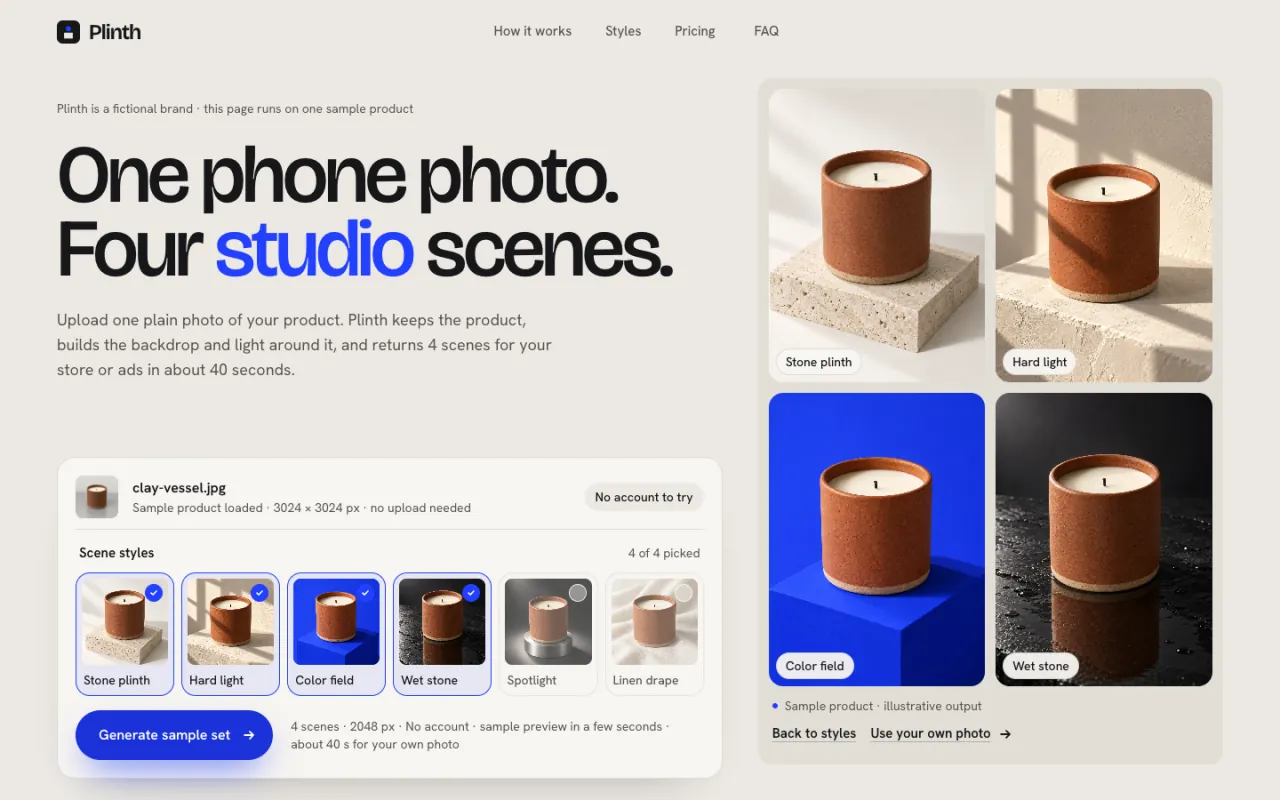
Hero · generated 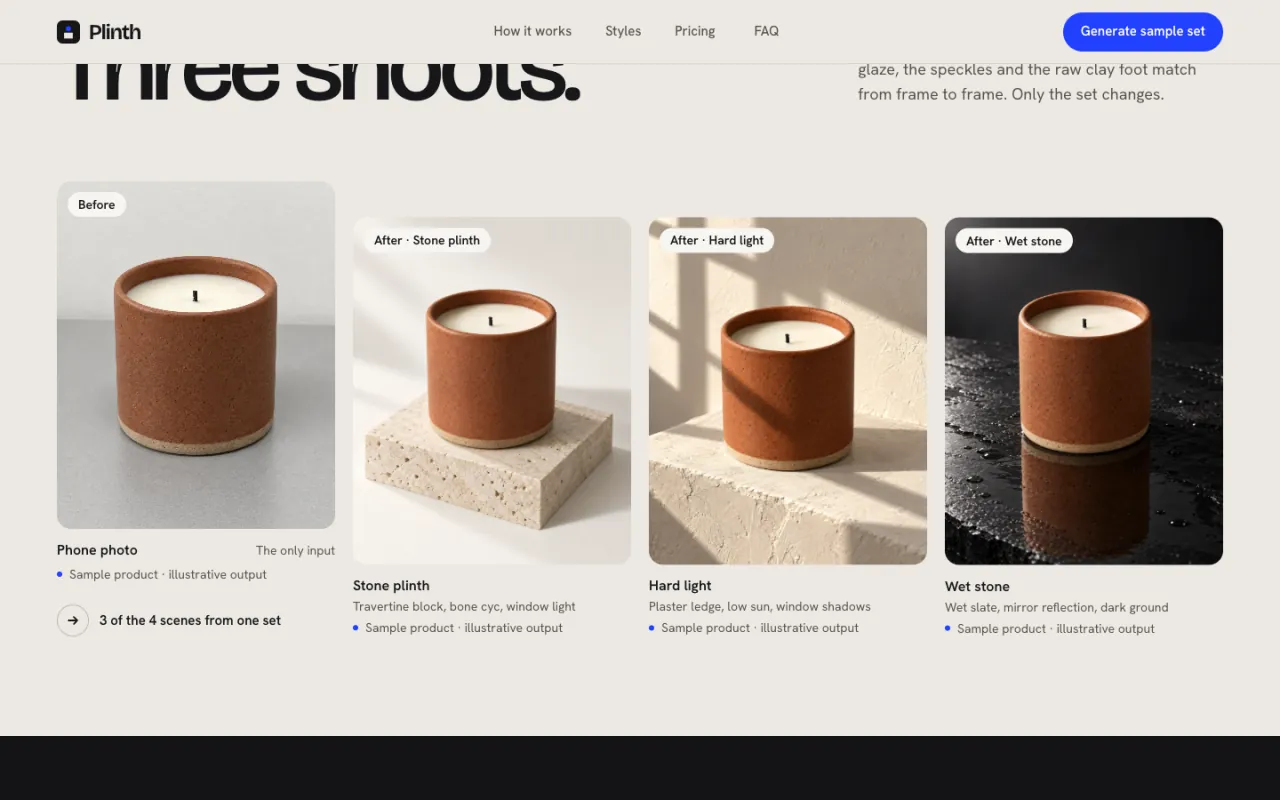
Before & after 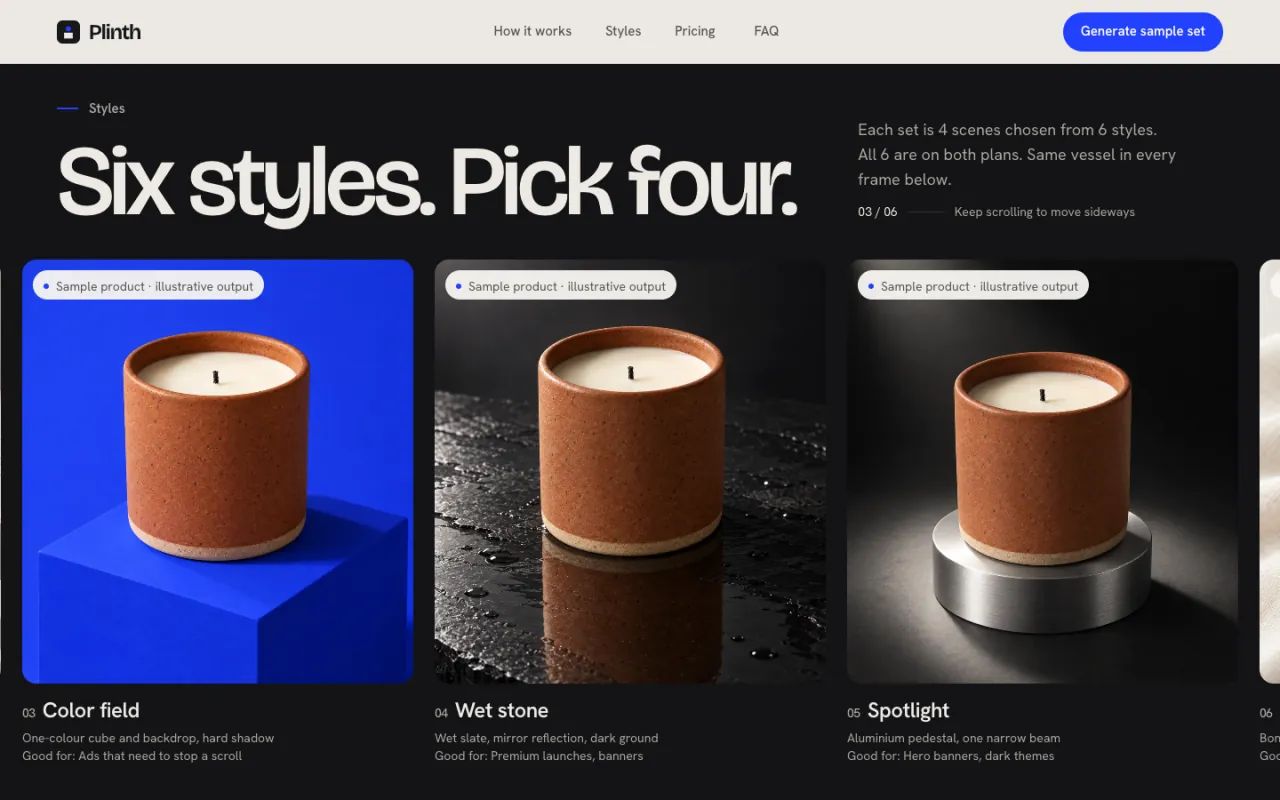
Styles 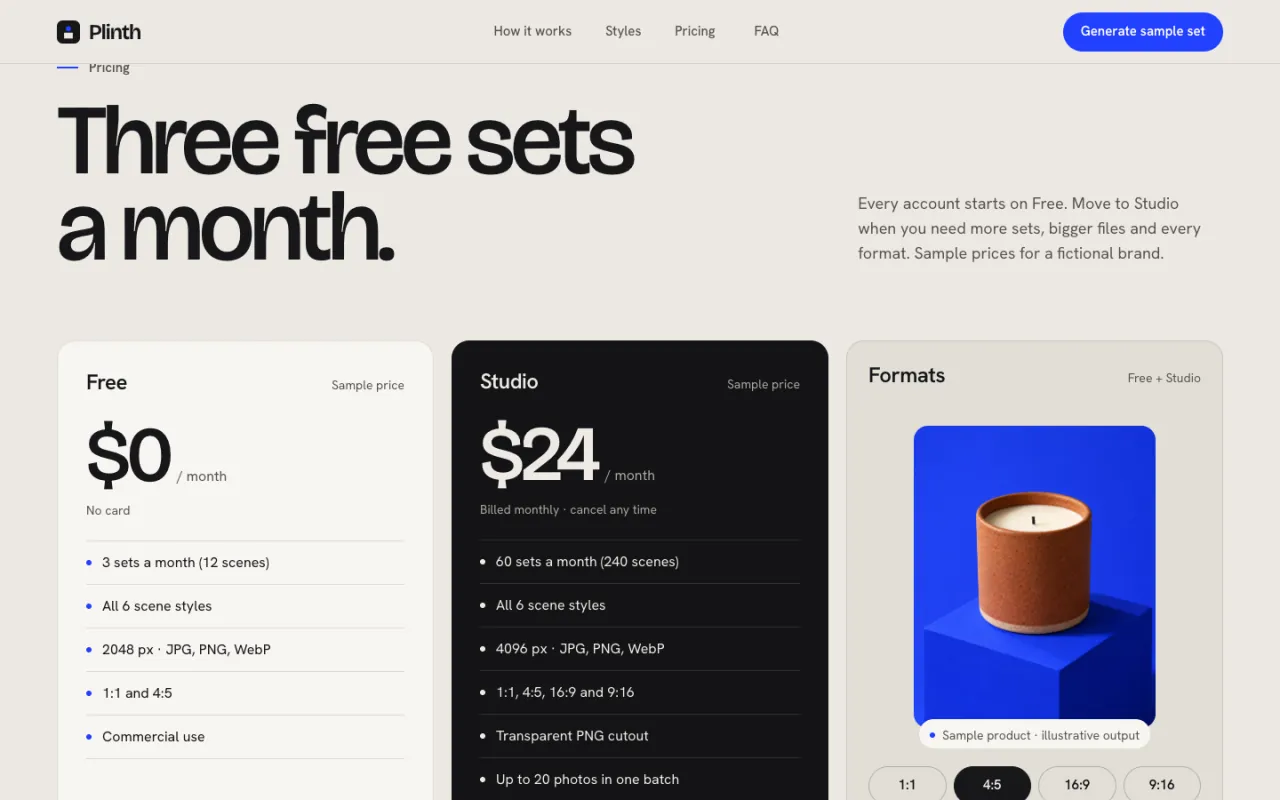
Pricing
섹션 순서
위에서 아래 순서입니다. 내비게이션과 푸터는 모든 페이지에 들어 있어 뺐습니다.
- 01HeroH2 Try It Now
Sample product loaded, scene-style picker and Generate button in real DOM; labelled fake progress, then a 2×2 result grid.
H2 Try It Now: the visitor takes the first action inside the hero, with no account.
- 02How it works시연
Scroll-scrubbed image sequence from the plain phone photo to the finished scene.
Explains the process with the same product the visitor just generated.
- 03Before & after시연
The plain photo next to three outputs of the same product.
Shows the range of output without claims about real customers' products.
- 04Styles작업·결과
Pinned horizontal browse of six scene styles.
Lets the visitor pick a look, which feeds straight back to Generate.
- 05Pricing가격·요금
Free + one paid plan, a formats picker and a quality band.
Answers 'what does it cost after the sample?' right before the final push.
- 06FAQ자주 묻는 질문
Accounts, image ownership, product fidelity, sharpness, export formats and what happens to uploads.
Clears practical blockers to uploading a real photo.
- 07CTA행동 유도
"Generate sample set" again with the timing statement.
One primary action, one label, everywhere.
조건별 변형
레시피는 만들기 전에 세 가지를 묻고, 답에 따라 아래 규칙으로 섹션을 바꿉니다.
| 이럴 때 | 이렇게 바꾼다 |
|---|---|
| Only a pre-made sample | Keep the hero as is: Generate runs a labelled fake progress and reveals pre-made images tagged "Sample product · illustrative output". |
| Real public demo endpoint | Replace the hero timers with the real call; keep the four progress labels only if the backend reports those stages, else one indeterminate bar. |
| No try-out at all | H2 is not allowed — switch to H1 Product in Use with a static result grid and a waitlist form; remove Generate from nav, pricing and CTA. |
| Price undecided | Drop the two plan cards; keep the formats picker and the quality band. |
| No reviews, logos or user counts | Never add them; the "before" is always the sample's own plain photo. |
스타일
Stage — strong scale contrast, one focus per screen, bone-white cyclorama + graphite stage, one cobalt accent
쓰는 법
- 01복사
레시피 복사를 누르면 이 페이지의 전체 코드·토큰·이미지 주소가 든 레시피가 복사돼요.
- 02붙여 넣기
빈 폴더나 지금 프로젝트에서 Claude Code·Codex 를 열고 붙여 넣으세요.
- 03세 가지 답하기
에이전트가 서비스·주 행동·실제로 있는 자료(후기·가격·이미지 등)를 먼저 묻습니다. 있는 것만 답하세요.
- 04확인
답에 맞춰 섹션을 조정해 같은 구성·타이포·모션으로 만듭니다. 없는 후기·수치는 지어내지 않습니다.
레시피
- 길이
- 96,542자 · 약 24k 토큰
- 스택
- React 19 + Vite 7 + Tailwind CSS v4 + motion + Lenis (TypeScript)
- 글꼴
- Bricolage Grotesque · Hanken Grotesk
- 버전
- v1.2.2
- 예시
- 가상 브랜드 · 샘플 데이터
레시피 하나에 이 페이지를 다시 만드는 데 필요한 것이 모두 들어 있습니다. MCP 를 연결했다면 get_ui 로도 받을 수 있어요.
레시피 안 이미지는 duchamp.app 에서 바로 불러옵니다. 내 이미지가 있으면 바꾸라고 말하세요.
첫 화면만 필요하면 히어로 레시피가 따로 있어요. 히어로만 보기 →